The chase 01
Crumpled pre-starts in someone’s truck.
You find out Monday that yesterday’s sign-off never happened.
PSI · signature missing
Constructified / For safety teams
Crews fill and sign safety forms on a phone or tablet at the work face. You see them the minute they’re submitted, and they stay searchable and exportable when compliance asks.
Web, iPad, iPhone and Android tablets. Viewers always free.
If this sounds familiar
The chase 01
Crumpled pre-starts in someone’s truck.
You find out Monday that yesterday’s sign-off never happened.
PSI · signature missing
The read 02
Forms you can’t read.
Handwriting, coffee, rain. Half the checks are blank or a guess.
Level 3 · task unclear
The audit 03
Compliance asks for last month.
Someone spends a day digging through binders and scans.
Export · 3 weeks of forms
Everything here is in the product today.
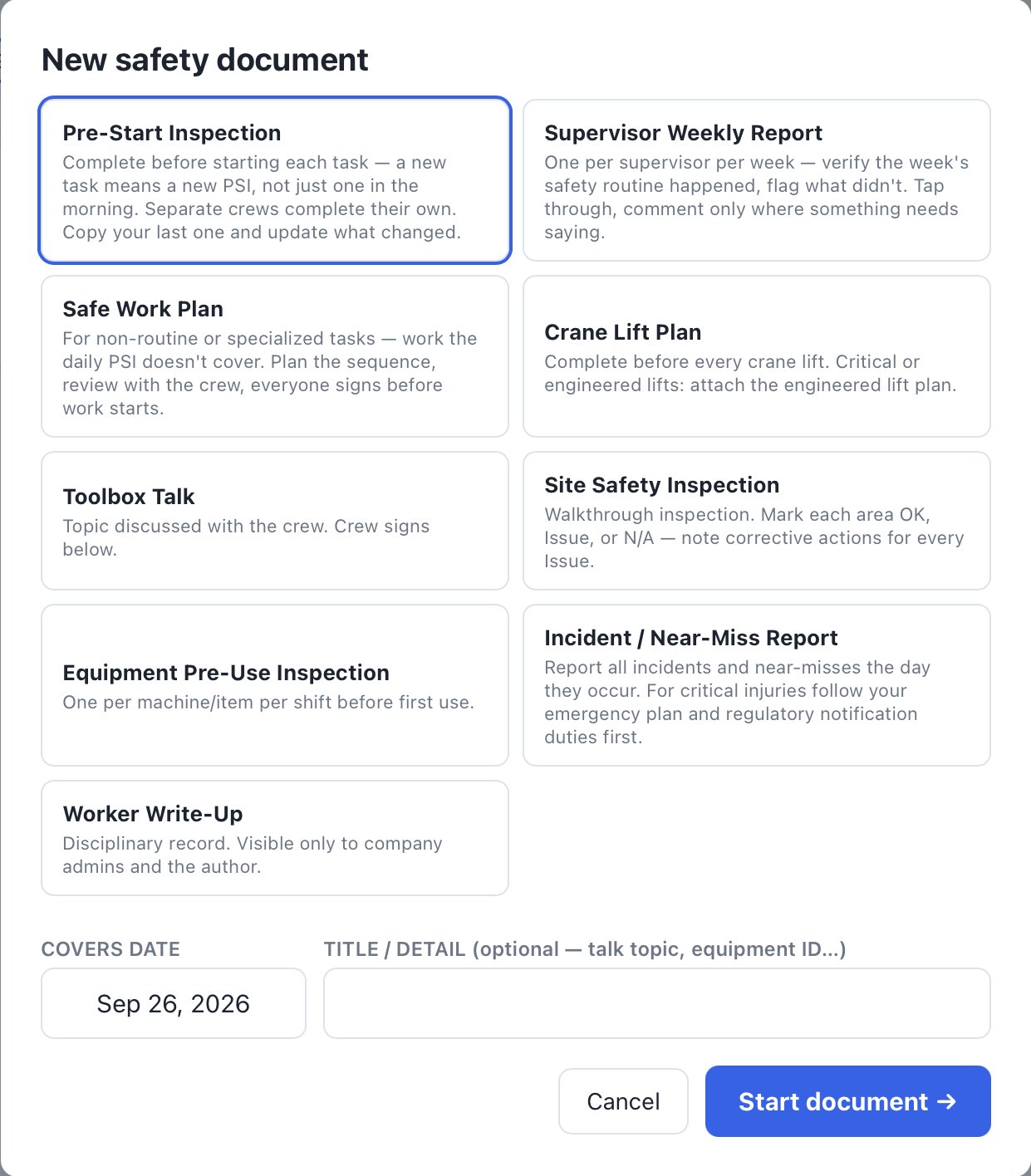
Pre-Start Inspection, Supervisor Weekly, Safe Work Plan, Crane Lift Plan, Toolbox Talk, Site Safety Inspection, Equipment Pre-Use, Incident / Near-Miss, Worker Write-Up.
If you allow location, the app can stamp temperature, sky, and wind. You can decline, and you can type the conditions yourself.
Every check is a tap, with a note where something needs saying.
Each worker signs on the supervisor’s phone or tablet. Signers do not need an account. Mark sick or away so the count is honest.
Hot work, confined space, critical lifting, lockout/tagout, working at heights, excavation.
A new task means a new pre-start. Copy the last one and change what’s different.
Choose which forms a project needs, and outstanding days count from the day you turn it on.
Download a completed form as a PDF. On the web app, Export packet merges completed forms into one PDF. There is no CSV export. Your own company forms can be added.
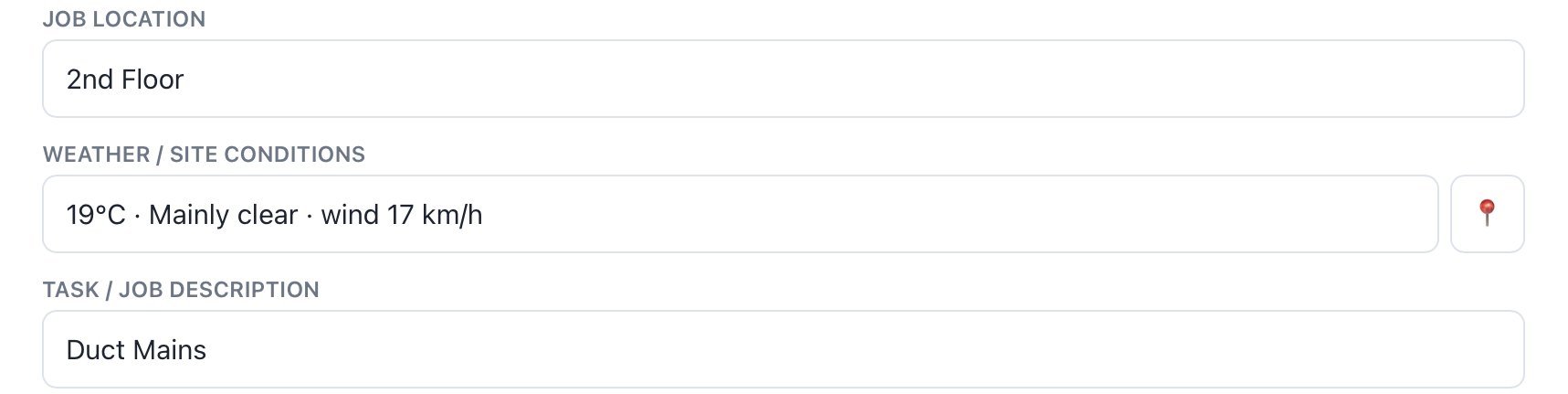
Pre-start Location, weather and task at the top.
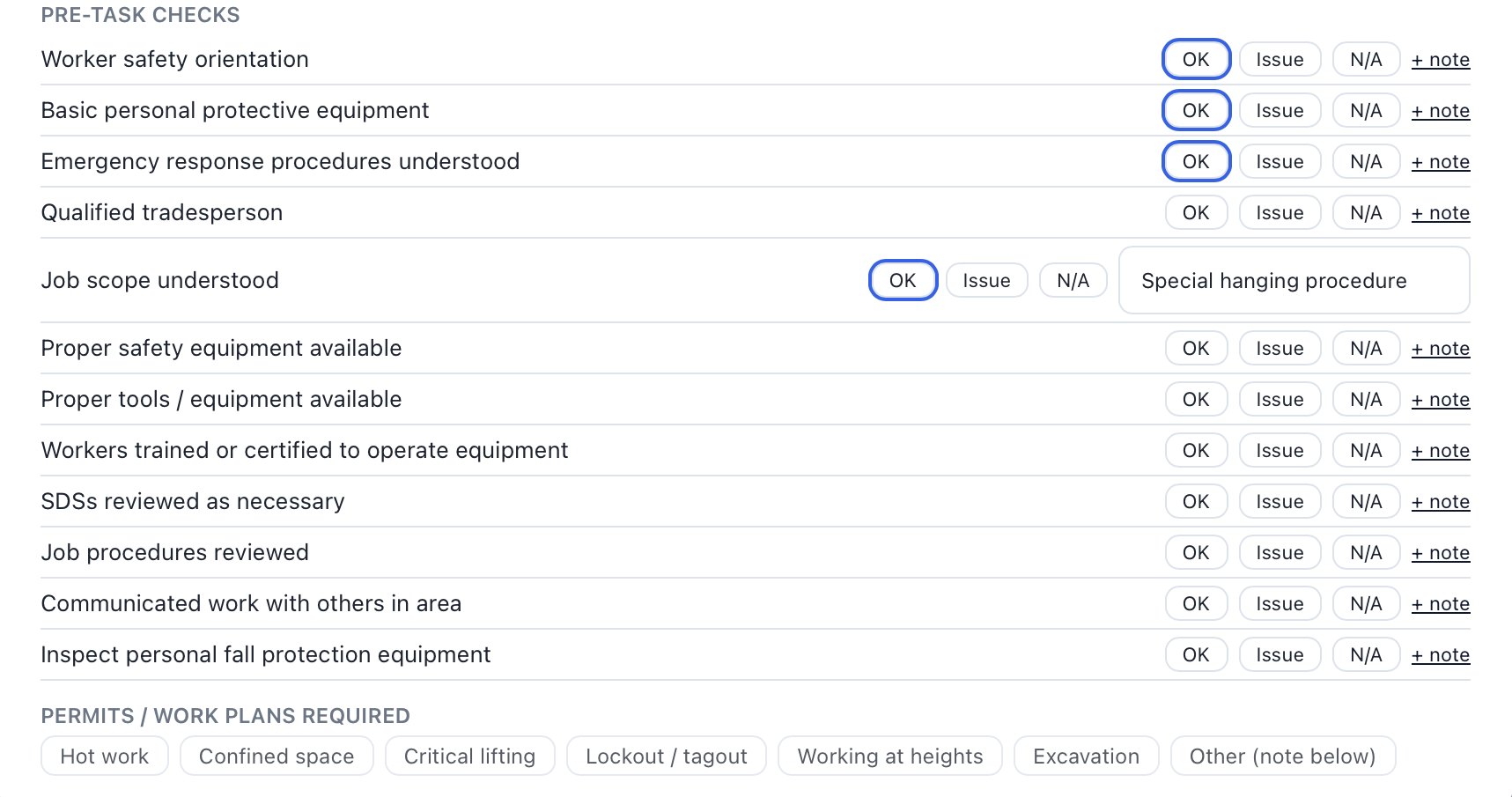
Checks One tap each. Notes where it matters.
Before you try it
If yours isn’t here, email contact@constructified.com and a person answers.
No. The crew signs on the supervisor’s device: tap Sign, draw a signature, and print a name. Signers do not need an account. People who need their own login are added to that project.
As soon as it’s submitted. No drive to the trailer, no scanning.
Only company admins and the person who wrote it.
Yes. Add company forms alongside the nine standard ones.
Next step
Free to start, no card. Try it on one job before you change anything else.